Document Naming and Filing: Best Practices for Contractors
If you’ve ever spent 20 minutes searching for a signed change order while a client waits on the phone, or scrambled to find last year’s permit documents during an audit, you’re not alone. Most contractors start with good intentions—a filing cabinet here, a folder on the desktop there—but within months, the system collapses into chaos.
The cost of poor paperwork management for contractors goes beyond frustration. Missing documents can delay payments, complicate tax preparation, create compliance issues, and even put your license at risk.
This guide provides a complete document filing system contractors can implement in a weekend and maintain with minimal effort. You’ll learn construction file naming conventions that prevent confusion, discover how to organize multiple simultaneous projects, and get copy-paste templates for organizing everything from permits to subcontractor paperwork.
Why a Document Filing System Contractors Use Matters More Than You Think
Disorganized paperwork isn’t just annoying—it’s costing you real money and creating risks you might not even see coming.
The hidden financial drain hits harder than most contractors realize. You’re likely spending 6-8 hours every month just hunting for documents. That’s $3,000-$5,000 in lost billable time annually that could’ve gone toward actual paying work.
Legal and financial exposure multiplies when your project documentation isn’t where you need it. Missing lien waivers can freeze your final payments for weeks. When insurance claims or audits come around, incomplete records mean delays, disputes, and potentially denied claims.
Your competitive edge sharpens dramatically with professional contract management and organized job folder structure. You instantly pull up photos, specs, and costs from similar past projects. You look prepared, experienced, and trustworthy.
Tax season becomes manageable when your invoice filing and client records management are dialed in. Organized compliance records can save you $500-$1,500 in accountant fees annually.
What You’ll Need Before Building Your Document Filing System Contractors Can Maintain
Setting up a document filing system for contractors isn’t something you can wing—you need the right tools and a realistic plan before diving in.
Choose your cloud storage carefully, because free accounts won’t cut it for serious project documentation. Google Drive Business ($6-12/month), Dropbox Business ($15/month), or OneDrive ($10/month) offer the storage capacity and security features your contract management and client records management require.
Your scanning solution depends on volume. Handle dozens of permits, blueprints, and subcontractor documents weekly? A sheet-fed scanner ($150-300) pays for itself quickly. For occasional invoice filing and change order tracking, mobile apps like Adobe Scan or Microsoft Lens work fine.
Block 4-6 hours for initial setup, then another 2-3 hours to digitize documents from your last 3-5 projects.
Gather everything first: contracts stuffed in filing cabinets, invoices in your truck’s glove box, permits in desk drawers, inspection reports buried in email.
Create a document inventory listing what you actually handle—contracts, change orders, lien waivers, warranties, blueprints, compliance records.
Step 1: Design Your Master Folder Structure for Multiple Projects
A solid document filing system contractors can rely on starts with a master folder structure that makes sense from day one. Think of this as building the frame of a house—get it right now, and everything else falls into place.
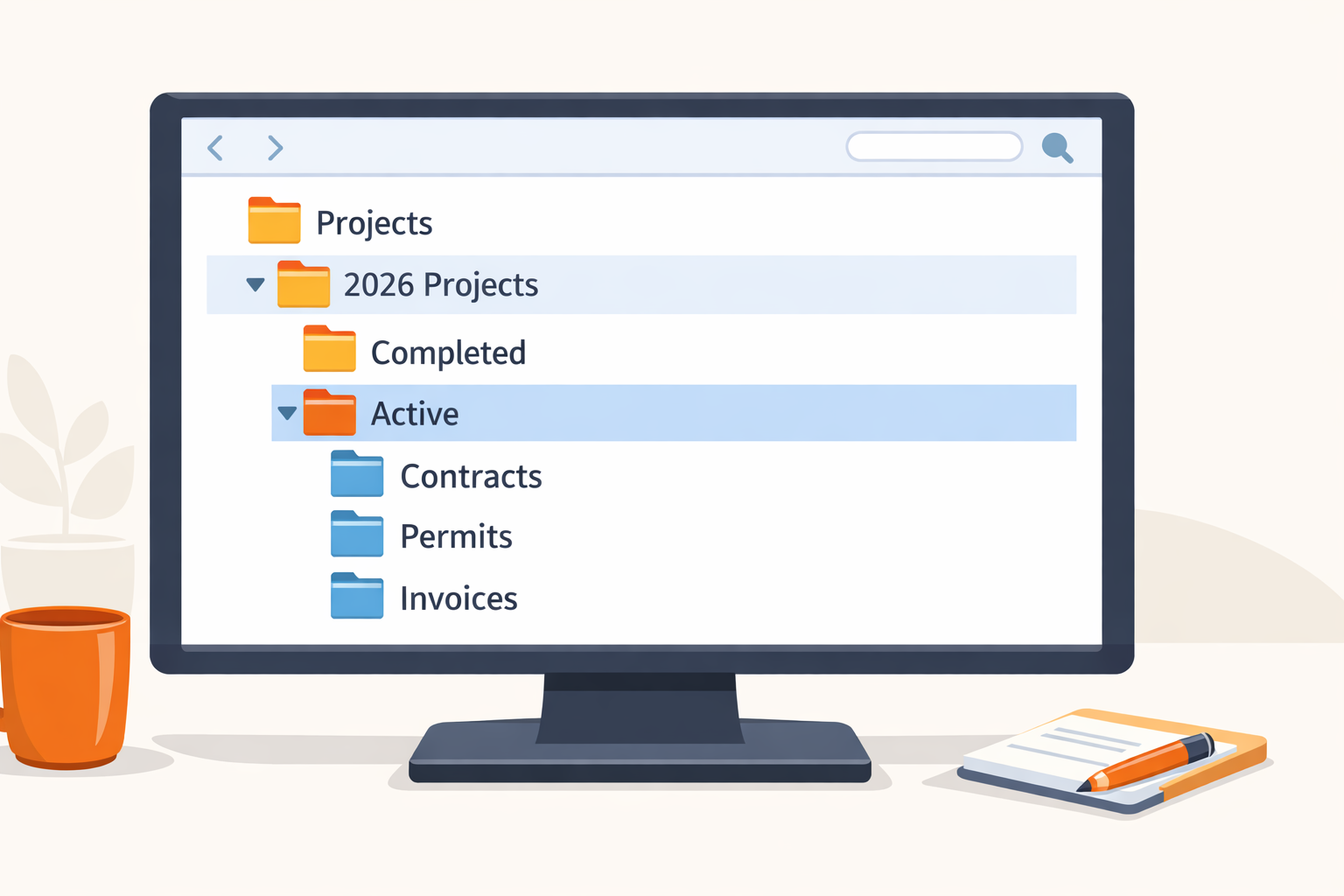
Create your top-level structure by setting up five main folders that will anchor your entire system: ‘Active Projects,’ ‘Completed Projects,’ ‘Business Operations,’ ‘Clients,’ and ‘Subcontractors & Vendors.’ These categories separate your ongoing work from finished jobs and keep business-level documents away from project-specific files. This foundation prevents the chaos of mixing your liability insurance paperwork with Mrs. Johnson’s kitchen remodel photos. This document filing system contractors use ensures clear separation between different types of documents.
Build your project folder template inside Active Projects using numbered subfolders that follow your workflow: ‘01-Contract & Proposal,’ ‘02-Permits & Inspections,’ ‘03-Plans & Drawings,’ ‘04-Photos,’ ‘05-Invoices & Payment,’ ‘06-Change Orders,’ ‘07-Subcontractor Docs,’ ‘08-Correspondence,’ and ‘09-Final Documents.’ The numbering keeps folders in the right order regardless of which cloud storage for contractors you’re using. When you start a new bathroom renovation, simply copy this template and rename it—instant organization for contract management, permit storage, and change order tracking.
Organize the Business Operations folder with subfolders for ‘Insurance,’ ‘Licenses,’ ‘Equipment & Tools,’ ‘Marketing Materials,’ ‘Tax Documents,’ and ‘Templates.’ This is where your warranty documentation, compliance records, and document retention policies live. Need to find your general liability certificate for a bid? You’ll know exactly where to look.
Set up client records management by creating individual folders within Clients for repeat customers. Store master service agreements, contact details, property information, and project history here. When the Hendersons call three years later about adding a deck, you’ll have their complete file ready.
Structure subcontractor documents with folders for each regular sub containing their W-9, certificate of insurance (add renewal dates to folder names like “Smith-Plumbing-COI-expires-Dec2024”), contracts, and performance notes. This makes tracking lien waivers and inspection reports straightforward when you need them fast.
Step 2: Implement Construction File Naming Conventions That Prevent Chaos
A consistent naming system is the difference between finding what you need in five seconds versus five minutes of frustrated searching. When you’re juggling multiple projects, the right naming conventions turn chaos into clarity.
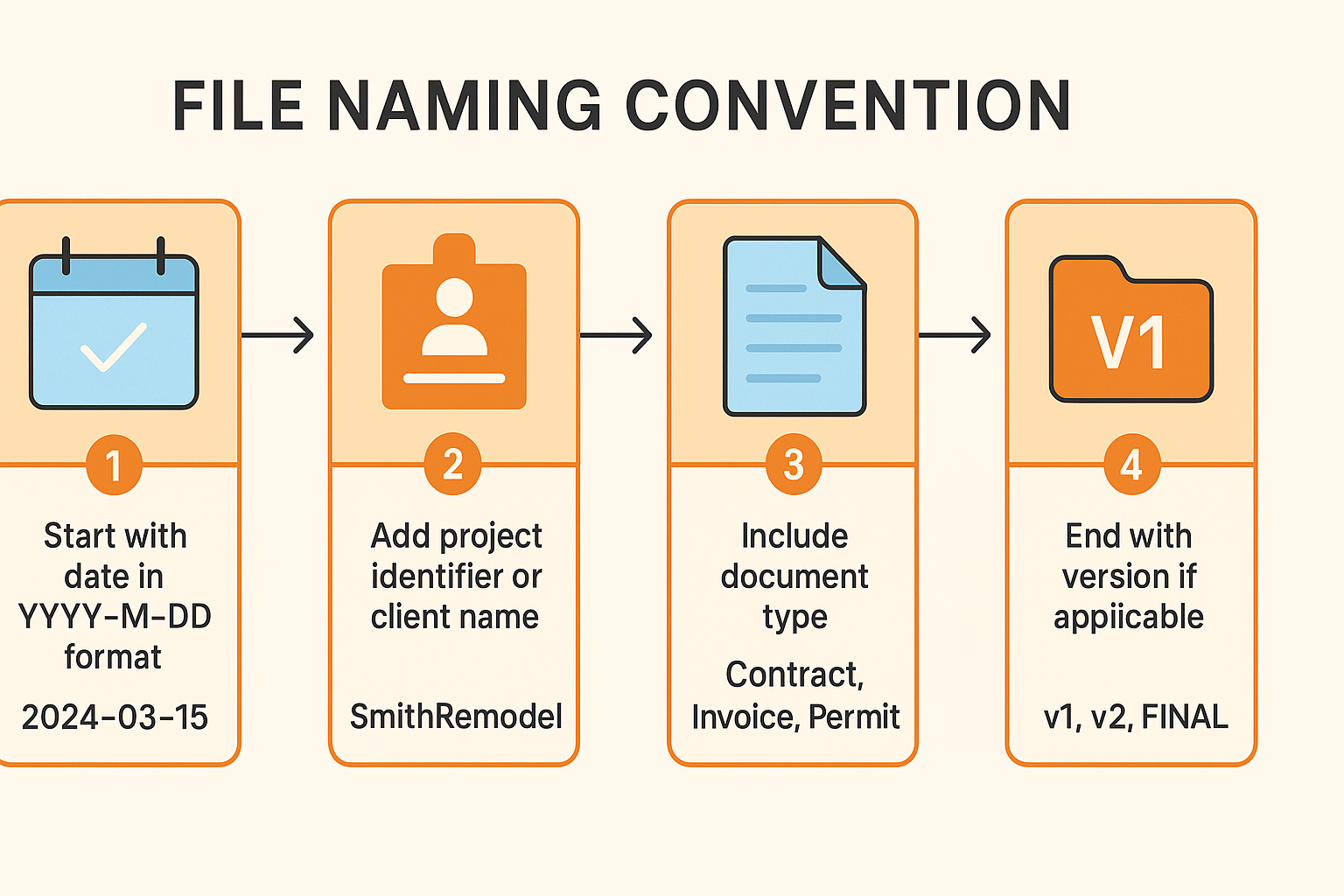
Your master naming formula should follow this pattern: ‘YYYY-MM-DD_ClientLastName_ProjectType_DocumentType_Version’. For example, ‘2024-01-15_Johnson_KitchenRemodel_Contract_v1.pdf’ automatically sorts chronologically while telling you exactly what’s inside. This approach to contract management means no more guessing which file is the latest when a client calls with questions.
Project folder naming keeps your job folder structure organized from the start. Use ‘YYYY-MM_ClientLastName_ShortProjectDescription’ like ‘2024-03_Martinez_BathroomAddition’. This format groups all related subcontractor documents, permits, and photos together while sorting projects by start date—perfect whether you’re using cloud storage for contractors or local drives.
Invoice filing becomes effortless with ‘INV-ProjectNumber-InvoiceNumber_Date_Amount_Status’ format. When you save ‘INV-2024-003-001_2024-03-15_$4500_PAID.pdf’, you can instantly see payment status without opening the file. This makes client records management and year-end accounting dramatically simpler.
Photo documentation naming prevents the dreaded “IMG_4837.jpg” problem. Structure progress photos as ‘YYYY-MM-DD_ProjectName_Location_Description_Sequence’—like ‘2024-03-20_Martinez_Bathroom_PlumbingRough_01.jpg’. When inspection reports require proof of work or warranty documentation needs supporting images, you’ll find exactly what you need.
Version control for change orders eliminates confusion during project revisions. Use ‘v1, v2, v3’ for drafts: ‘ChangeOrder-003_ScopeExpansion_v2.pdf’. Reserve ‘FINAL’ for the signed version only: ‘ChangeOrder-003_ScopeExpansion_FINAL_Signed.pdf’. No more “final_final_revised_v3_THIS_ONE” nightmares that plague change order tracking.
Permit storage and compliance records need their own clear system. Format permits as ‘PermitType_PermitNumber_IssueDate_Status’—example: ‘BuildingPermit_BP2024-1847_2024-02-10_Approved.pdf’. For inspections, use ‘Inspection_Electrical_2024-03-15_Passed.pdf’. When the inspector shows up or you need lien waivers for final payment, everything’s instantly accessible.
These naming conventions might feel tedious initially, but they’ll save you hours every week once they become habit.
Step 3: Transition from Paper to Your Digital Filing System
Moving from paper chaos to organized digital project documentation doesn’t happen overnight, but following a systematic approach makes the transition manageable. A digital filing system construction companies rely on starts with prioritizing what matters most.

Start by prioritizing active documents that you need immediate access to. Scan current contracts, open permits, and pending change orders first. Next, tackle recent completed projects from the past two years, then essential business documents. This digital filing system construction approach ensures your most critical contract management needs are covered from day one.
Develop a batch scanning workflow to avoid getting overwhelmed. Group similar documents together and scan them in batches. Use OCR (optical character recognition) to make your PDFs searchable. Immediately rename each file according to your naming convention before moving to the next batch.
Determine which originals you must keep physically for legal protection. Store signed contracts, notarized documents, original permits, lien waivers, and certified inspection reports in a fireproof safe. Most other papers can be shredded after you’ve scanned and verified the digital copy is readable.
Step 4: Organize Documents Across Multiple Simultaneous Projects
Running three kitchen remodels, two bathroom renovations, and a deck build at the same time? Without a system to track everything, important documents disappear into chaos. Here’s how a document filing system contractors can maintain keeps every project’s paperwork organized when you’re juggling multiple jobs.
Use project codes consistently by assigning each job a unique identifier the moment you start the proposal. The format is simple: 2024-001, 2024-002, 2024-003. Write this code on every invoice, permit, change order, and email subject line related to that project. When a subcontractor calls about “the Johnson kitchen,” you’ll instantly know they mean project 2024-015, and you can pull up the right job folder structure in seconds.
Maintain a project dashboard using a basic spreadsheet that lists all active work. Include columns for project code, client name, start date, current status, next milestone, and a clickable link to the cloud storage folder location. This becomes your command center—one glance tells you exactly where every job stands and where to find its contract management files.
Separate bidding from active jobs by creating a dedicated “Proposals & Bids” folder that sits outside your Active Projects directory. Only move a proposal folder into Active Projects after you’ve won the contract and received a deposit. This prevents your active job tracking from getting cluttered with the 60% of bids that don’t convert.
Archive completed projects systematically by moving finished jobs to a “Completed Projects” folder organized by year. Rename the folder to include “COMPLETE” and the finish date (2024-015_Johnson_Kitchen_COMPLETE_2024-12-15). This document retention approach keeps warranty documentation and inspection reports accessible without slowing down your current work.
Handle change orders across projects by numbering them sequentially within each job (CO-001, CO-002) and maintaining a change order log that tracks dates, amounts, and approval status for quick reference during client billing discussions.
Step 5: Set Up Systems for Subcontractor and Compliance Documents
Managing subcontractor documents isn’t glamorous work, but missing an expired insurance certificate or lost lien waiver can halt your project or expose you to serious liability.
Create subcontractor master files by setting up a dedicated folder for each regular sub you work with. Inside, store their current certificate of insurance, W-9, your standard agreement template, and contact information. Name each folder something like “SmithPlumbing_COI-Expires-2024-08-15” so you can scan your folder list and instantly see who needs renewal documents.
Build a compliance tracking spreadsheet that lists all your subcontractors with columns for insurance expiration dates, license renewals, and the last time they submitted a W-9. Set calendar reminders 30 days before each expiration.
Organize lien waivers systematically within your project documentation structure. Inside each project’s “07-Subcontractor Docs” folder, create a subfolder for each sub, then store their conditional and unconditional lien waivers with clear names like “LienWaiver_Conditional_2024-03-15_$2500.pdf.”
Common Document Filing Mistakes Contractors Make
Even the best document filing system contractors can design will fail if you fall into these common traps. Here’s what to watch for and how to fix problems before they derail your project documentation.
Too many subfolders kill efficiency. When you create separate folders for “Electrical Invoices,” “Plumbing Invoices,” and “HVAC Invoices,” you’re building a maze instead of a system. Stick to 8-10 main categories per project and use smart file naming instead—“2024-03-15_Invoice_Electrical_Miller.pdf” works better than endless subfolders for invoice filing and contract management.
Inconsistent naming between projects destroys everything. If you call one project “Smith Remodel” and another “2024_Johnson_Kitchen,” you’ll waste hours hunting for client records management later. Create a simple naming cheat sheet and tape it to your monitor until the format becomes second nature.
Storing documents only locally is gambling with your business. One stolen laptop or crashed phone can erase years of permit storage, warranty documentation, and inspection reports. Make cloud storage for contractors your primary system, not just a backup—automatic syncing protects your compliance records and lien waivers without extra effort.
Never archiving completed projects turns your job folder structure into a junk drawer. When 50+ projects sit in “Active Projects,” finding today’s change order tracking becomes impossible. Move finished work to yearly archive folders within 30 days of final payment.
Skipping filing during busy periods is when systems collapse. When you’re slammed, blueprint organization and subcontractor documents pile up fast. Schedule a recurring 30-minute block on your calendar specifically for filing—treat it like any other business appointment.
If your system breaks down, don’t panic and start over. Block 2-3 hours, sort everything by project first, then by document type within each project. Getting 80% organized beats chasing perfect organization that never happens.
Pro Tips for Maintaining Your Document Organization System
Even the best document filing system contractors can design will fall apart without consistent maintenance habits. These pro tips will help you keep your project documentation organized with minimal effort.
Set up smartphone shortcuts to your cloud storage’s ‘To Be Filed’ folder right on your home screen. When a homeowner hands you a signed change order on-site, snap a photo and upload it immediately while the context is fresh in your mind. Those quick 30-second uploads prevent the dreaded pile of mystery documents later.
Build reusable document templates for forms you use repeatedly—change order requests, payment schedules, project closeout checklists. Store them in your Business Operations > Templates folder with ‘TEMPLATE’ in the filename. Next time you need a payment schedule, you’ll spend two minutes customizing instead of twenty minutes recreating from scratch.
Follow the two-minute rule religiously: if filing a document takes less than two minutes, do it now rather than tossing it in your digital inbox. Filing one invoice immediately beats facing fifty invoices during your quarterly review.
Create selective client access by setting up a ‘Client Shared’ subfolder within each job folder structure. Include only client-appropriate documents—invoices, approved change orders, progress photos—while keeping your internal notes, subcontractor documents, and markup calculations private. This transparency builds trust without exposing your business operations.
Schedule quarterly system reviews to archive completed projects, update your compliance records spreadsheet, and verify backups are running. This 30-minute investment every three months prevents the chaos of hunting for warranty documentation or inspection reports two years later.
Document your own system in a simple one-page guide explaining your folder structure and naming conventions. When you hire help or take vacation, anyone can maintain your contract management system without guessing where permit storage lives or how you track lien waivers.
Conclusion
Building an effective document filing system contractors can actually maintain transforms how you manage every aspect of your business, from permits to payments. By implementing a clear folder structure, using consistent construction file naming conventions, and transitioning to cloud-based storage, you’ll transform document chaos into a system that works for you instead of against you. The initial weekend investment in setup and a few hours scanning existing documents pays dividends every single day when you can locate any contract, permit, or invoice within seconds.
Start with your next new project—create the folder structure, apply the naming conventions from day one, and experience how much easier project management becomes when everything has its place. Then gradually work backward, organizing your active projects and most recent completed work. You don’t need to digitize ten years of archives immediately; focus on current and recent projects where you’ll see immediate benefits.
Once your document organization system is running smoothly, you’ll find other aspects of your contracting business become easier too. Bidding on new work becomes faster when you can reference past projects instantly. Tax time becomes less stressful with organized financial records. Client relationships improve when you can quickly provide requested documentation. The contractors who master paperwork management for contractors aren’t just more organized—they’re more profitable, professional, and prepared for growth. A digital filing system construction businesses depend on makes all the difference, and implementing a digital filing system construction approach early sets you up for long-term success.