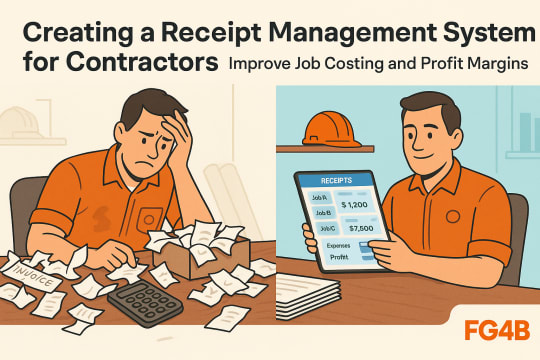
Creating a Receipt Management System for Contractors
Every contractor knows the frustration: a shoebox full of faded receipts at tax time, missing documentation for a material purchase, or worse—discovering months later that a job you thought was profitable actually lost money because you couldn’t track all the expenses. Poor receipt management for contractors isn’t just a bookkeeping headache; it’s leaving money on the table with every project you complete.
Without a systematic approach to tracking receipts, you’re flying blind on job costing, missing valuable tax deductions, and risking serious problems during an IRS audit. The average contractor loses 1-3% of revenue to disorganized expense tracking. That doesn’t account for the hours wasted searching for documentation or the inaccurate bids caused by poor historical data.
This guide will walk you through creating a practical contractor expense tracking system that works in the real world—even with field crews who resist technology. You’ll learn how to organize contractor receipts by job, integrate them with your accounting process, and use that data to improve your bidding accuracy and profit margins on future projects. We’ll cover both digital and hybrid approaches, so you can choose what works best for your operation.
Why Receipt Management for Contractors Directly Impacts Your Bottom Line
Poor receipt management isn’t just messy—it’s expensive. Every crumpled receipt lost in your truck and every shoebox of unsorted material receipts represents money you’re leaving on the table.
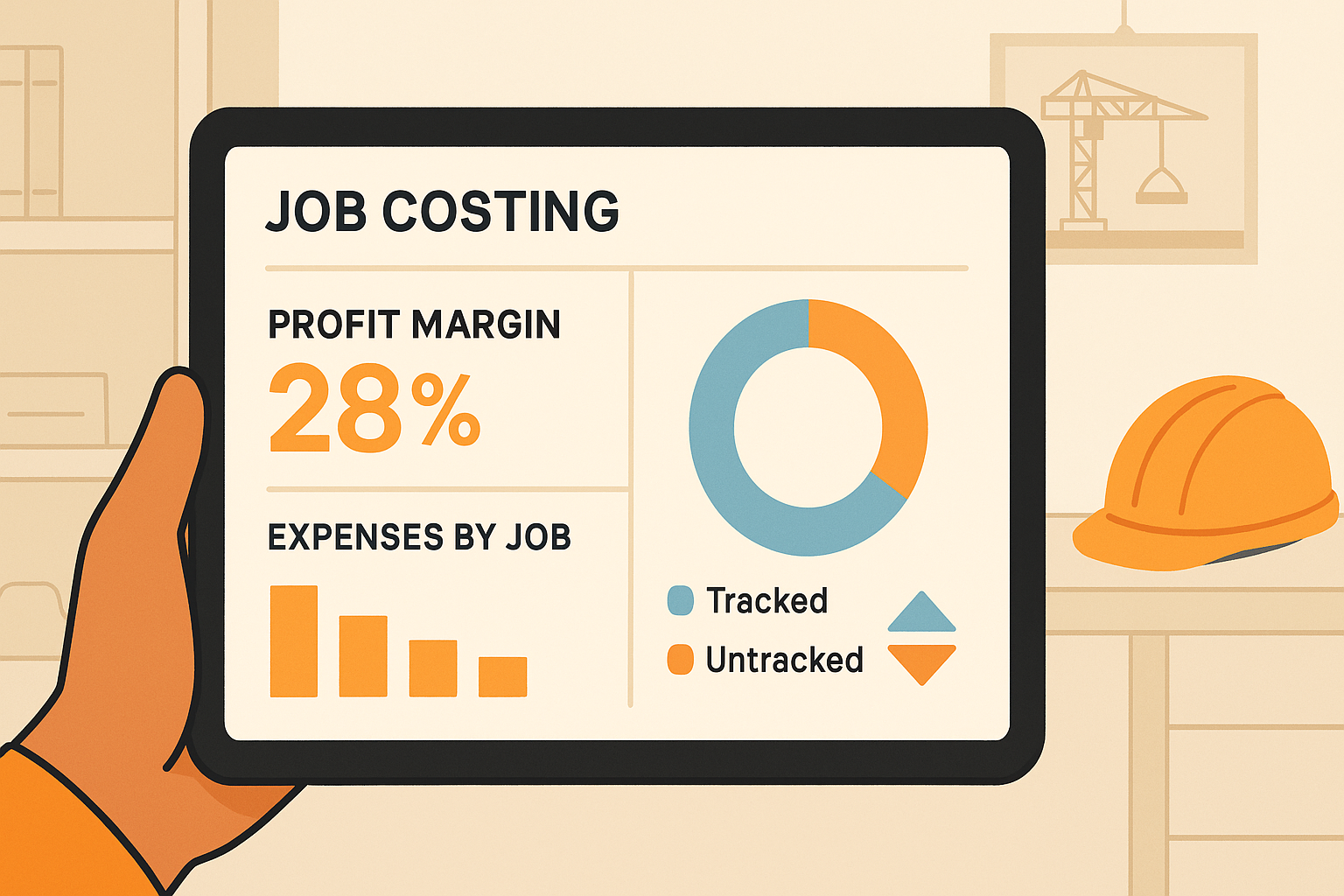
The hidden cost of disorganization hits harder than most contractors realize. Without a system for expense tracking, you’re likely missing $3,000-$8,000 annually in legitimate tax deductions. That’s money already spent that could reduce your tax bill. Plus, you’re burning billable hours sorting through paperwork instead of working jobs that actually generate revenue.
Inaccurate job costing destroys profitability from both directions. When you can’t track what materials and subcontractor invoices actually cost on past projects, you’re bidding blind. You’ll underprice profitable work and lose competitive bids you should win—a slow death spiral for your margins.
Proper IRS documentation protects your business during audits. Construction accounting systems with receipt categorization give you real-time project expense visibility. This prevents budget overruns before they eliminate your profit.
Data-driven contractors win more profitable work. When you tie receipts to specific jobs, you’ll know which project types actually make money and price accordingly.
What You’ll Need Before Building Your Contractor Receipt Management System
Getting your receipt management for contractors system right starts with gathering the right tools and laying proper groundwork—skip this step and you’ll build on shaky foundation.
Essential digital tools include a smartphone with receipt scanning apps like Dext or Hubdoc, cloud storage, and accounting software with job costing capabilities such as QuickBooks Online or Xero. These create your construction accounting backbone. This contractor expense tracking system forms the foundation of how to organize contractor receipts efficiently.
Chart of accounts structure means setting up expense categories matching IRS documentation requirements and your trade—material receipts, subcontractor invoices, equipment rentals, vehicle expenses, and permits. Proper receipt categorization now prevents audit headaches later.
Job numbering system assigns unique identifiers to each project. This lets you track project expenses and profit margins accurately. When that kitchen remodel’s receipts are tagged “2024-KR-047,” everything stays organized.
Time investment requires 3-4 hours initially, then 15-30 minutes daily for expense tracking.
Team buy-in preparation needs identifying who submits receipts and creating a simple one-page guide showing exactly how.
Step-by-Step: Building Your Receipt Management System for Contractors
Building a receipt management system for contractors doesn’t require fancy software or complicated processes—just a consistent approach that captures every expense and ties it to the right job. Here’s how to set up a contractor expense tracking system that actually works in the field.
Choose your digital receipt approach by selecting between fully digital receipt scanning apps with QuickBooks integration, a hybrid photo-and-physical system, or organized physical filing. Most contractors find success with a hybrid method during the transition period: snap photos of receipts immediately using your phone, but keep physical copies in labeled envelopes by job for 90 days until you’re confident in your digital backup. This gives you peace of mind while building new habits.
Set up job-based receipt categorization with a folder structure organized first by job number or client name, then by expense category within each project folder. When a homeowner questions a material charge three months later, you’ll pull up that job’s folder. You’ll have every receipt at your fingertips instead of digging through months of mixed expenses.
Establish a receipt capture workflow with a same-day rule: photograph and tag every receipt with its job number before leaving the job site or supply store. Have crew members text receipt photos with job numbers to a dedicated line. This solves the notorious “receipts buried in the truck” problem that kills your tax deductions and job costing accuracy.
Integrate receipt data with job costing by entering material receipts into your construction accounting software with both expense category and job number tags. This dual-coding reveals your true profit margins on each project while tracking total material costs across your business.
Create a weekly reconciliation routine every Friday—just 20 minutes reviewing receipts against credit card statements, verifying job tags, and updating project expenses. Fresh errors are easy to fix. Three-month-old mysteries are nightmares.
Build your receipt retention system with automatic cloud backup and a seven-year retention schedule for IRS documentation. Archive completed job receipts annually to keep your active contractor expense tracking system lean and responsive.
How to Organize Contractor Receipts for Multiple Jobs Simultaneously
Running three kitchen remodels and two bathroom jobs at once? Without a system, your receipts become an expensive mess that kills accurate job costing and leaves money on the table.
The job number system starts before you buy the first box of screws. Assign each project a unique identifier like 2024-015 or SMITH-Kitchen. Then use a label maker to mark physical receipts the moment they’re in your hand. Train your crew to text receipt photos with the job number in the message—it takes five seconds and saves hours of detective work later.
Handling split purchases requires photographing the receipt once, then creating separate entries in your accounting software for each job’s portion. When you grab supplies for three jobs in one supply house run, note “split from receipt #247” in each entry. This audit trail protects your tax deductions while keeping project expenses accurate.
The staging area approach prevents receipt chaos. Drop anything without a clear job assignment into a physical inbox or “unprocessed” digital folder. Then assign codes during your weekly reconciliation before they disappear.
Project closeout checklists complete the loop. Pull all receipts for the finished job number. Verify totals match your construction accounting records. Attach your profit margins analysis before moving everything to closed-job storage.
Setting Up a Digital Receipt System for Contractors: Contractor Expense Tracking Apps and Integration
A digital receipt system for contractors transforms scattered paper trails into organized expense tracking that directly improves your job costing accuracy and profit margins.
Receipt scanning apps for contractors vary in their strengths, so choose based on your crew size and existing software. Dext (formerly Receipt Bank) handles photos from multiple crew members seamlessly and offers excellent QuickBooks integration. Hubdoc stands out for matching receipts to bank statements automatically. Solo contractors often find the built-in QuickBooks Online receipt capture sufficient. Expensify excels when you need combined mileage tracking and receipt documentation for tax deductions.
QuickBooks integration setup starts by connecting your chosen receipt app, then enabling job costing features and creating custom fields for job numbers. Set up automatic expense categorization rules based on vendor names. This alone reduces manual data entry by 60-70%. It frees you to focus on actual construction work rather than construction accounting.
Technology-resistant crew members need simpler options. Provide a dedicated phone number where they text receipt photos (TextExpense converts these to expense entries). Or create a shared Dropbox folder where they upload photos named with the job number. You handle categorization later.
Backup and redundancy matter for IRS documentation. Enable automatic backup to a second cloud service—if Google Drive is primary, backup to Dropbox.
Mobile access for field decisions lets you pull up project expenses at the supply house. This catches budget overruns before they damage your bottom line.
Common Receipt Management Mistakes Contractors Make and How to Avoid Them
Even experienced contractors fall into receipt management traps that sabotage their job costing and tax deductions. Here’s how to sidestep the most common pitfalls.
Waiting until tax time to organize receipts is asking for trouble. Thermal paper receipts become unreadable within 3-6 months. You’ll forget which materials went to which job. Use a simple rule: photograph every receipt within one day of purchase using receipt scanning apps, even if full categorization happens later.
Mixing personal and business expenses on the same credit card creates categorization nightmares and audit preparation risks. The IRS documentation requirements are clear—mixing expenses raises red flags. Maintain separate cards, or if that’s impossible, mark personal expenses immediately and exclude them from business reports.
Inconsistent job number usage destroys your project expenses tracking. When crew members enter “Job Smith,” “Smith Job,” and “Smith Remodel” for the same project, your profit margins calculations become worthless. Create a master job list with dropdown menus in your receipt app rather than free-text entry.
Not tracking mileage properly means leaving money on the table. You save fuel receipts but don’t log trips or allocate vehicle expenses to specific jobs. Use mileage tracking apps that automatically log trips and allow job number tagging.
Fallen behind? Dedicate one weekend to receipt recovery. Gather everything from your truck, office, and wallet. Then photograph and sort by month. Partial organization beats chaos every time.
Using Receipt Data for Job Costing and Profit Analysis
Proper receipt management for contractors transforms from a tax headache into your most powerful profitability tool when you connect expense tracking directly to job costing analysis.
Creating per-job profitability reports starts with tagging every material receipt and subcontractor invoice to specific projects in your construction accounting system. Once organized, you can generate reports showing actual total costs versus your original estimate. If you bid a bathroom renovation at $15,000 expecting $4,500 profit but receipts show you spent $12,200 instead of the estimated $10,500, your real profit was just $2,800—and you need to know why.
Identifying your most profitable project types requires analyzing completed jobs by category. When receipt data reveals your deck builds consistently deliver 28% margins while kitchen remodels barely hit 12%, you know where to focus your marketing energy.
Improving estimate accuracy means reviewing material receipts from past similar projects before bidding new ones. If your last three bathroom remodels averaged $6,200 in materials but you’re still bidding $5,000, you’re guaranteeing losses.
Spotting cost creep and waste becomes automatic when you review project expenses regularly. Seven supply house trips for one job? That’s poor planning eating your profit margins.
Building a custom cost database from 20-30 properly tracked jobs gives you a competitive advantage no generic estimating guide can match.
Tax Compliance and Audit Preparation Through Proper Contractor Bookkeeping Receipts
A solid receipt management system doesn’t just help you run your business—it protects you legally and ensures you’re not leaving money on the table when tax season arrives.
IRS documentation requirements are straightforward but strict: you need receipts for all business expenses over $75, and for any amount spent on lodging, gifts, and travel. Each receipt must show the date, amount, vendor, business purpose, and for meals, who attended. The good news? Receipt scanning apps and digital copies are completely acceptable as long as they’re legible and properly stored in your construction accounting system.
Maintaining receipts for the right timeframe prevents headaches down the road. Keep all tax-related receipts for 7 years. The IRS can audit up to 6 years back for substantial underreporting, so that extra year gives you a buffer. For equipment and vehicle purchases, hold onto those receipts for the asset’s lifetime plus 7 years since they affect your depreciation calculations.
Organizing for audit readiness means structuring your system so you can produce any year’s receipts by category within minutes. When an auditor sees organized documentation instead of shoeboxes full of crumpled paper, you gain immediate credibility. You typically face a smoother process.
Trade-specific receipt categories matter too. Electricians should separate licensing and continuing education receipts for renewal proof. Plumbers need distinct categories for specialty tools qualifying for Section 179 deductions. HVAC contractors must carefully track vehicle expenses and mileage tracking since service calls generate significant deductible miles.
Maximizing legitimate tax deductions requires capturing everything: small tools, safety equipment, logo work clothing, trade publications, association dues, and qualified home office expenses. Poor receipt management typically costs contractors $2,000-$5,000 in missed deductions annually.
Conclusion
Building an effective receipt management system for contractors isn’t about perfect organization—it’s about creating a practical workflow that captures expense data reliably, ties costs to specific jobs, and provides the financial intelligence you need to run a profitable business. Start with the basics: choose your capture method (even if it’s just phone photos and a simple spreadsheet), implement the 24-hour receipt processing rule, and begin tagging expenses to job numbers consistently.
The system you build this month will pay dividends for years through better tax deductions, improved job costing accuracy, and data-driven bidding that wins the right work at the right prices. Don’t let perfect be the enemy of good—a simple system you actually use beats a sophisticated setup that’s too complicated to maintain. Begin with your next job: assign it a number, capture every receipt, and track the results against your estimate.
Once your receipt management system is running smoothly, the next step is connecting this expense data to your overall construction accounting workflow, including progress billing, change order tracking, and cash flow forecasting. The financial clarity that comes from knowing your true costs on every job transforms how you run your contracting business, moving you from reactive scrambling to proactive profit management.
Frequently Asked Questions
How long should contractors keep receipts for tax purposes?
Keep all tax-related receipts for 7 years from the filing date, as the IRS can audit up to 6 years back in cases of substantial underreporting. Maintain receipts for equipment, vehicles, and property for the life of the asset plus 7 years, since these affect depreciation schedules. Store receipts for completed jobs for at least 3 years beyond project completion to handle any warranty claims or customer disputes that reference original costs.
What information must be on a contractor receipt for it to be valid for tax deductions?
Essential elements include: date of purchase, vendor name and location, itemized description of what was purchased, amount paid, and payment method. For meals and entertainment (if deductible), add business purpose and names of people present. Digital receipts and scanned copies are IRS-acceptable as long as they’re legible and contain all required information—you don’t need to keep the paper original if you have a quality digital copy.
How do contractors organize receipts for multiple jobs running simultaneously?
Implement a job numbering system and tag every receipt with its job number immediately upon receipt. Use a label maker for physical receipts or add job numbers when photographing with your phone. Create separate folders (physical or digital) for each active job, organized by job number, with expense categories as subfolders within each job. Use a staging area for receipts that arrive without clear job assignment, then review weekly to properly categorize before they get lost.
What are the best receipt scanning apps for contractors?
Dext (formerly Receipt Bank) offers excellent QuickBooks integration and handles multiple users submitting receipts, ideal for contractors with field crews. Built-in QuickBooks Online receipt capture works well for solo contractors or small teams already using QuickBooks. Expensify excels when you need combined mileage and receipt tracking, common for service contractors making multiple daily stops. Hubdoc provides strong bank statement reconciliation features alongside receipt scanning for contractors who want automated expense matching.
How does proper receipt management improve contractor profit margins?
Accurate job costing through receipt tracking reveals which project types are actually profitable versus which just seem profitable, allowing you to focus on high-margin work. Historical receipt data improves bidding accuracy—you’ll stop underbidding jobs because you’ll know actual material costs from similar past projects. Proper documentation ensures you claim all legitimate tax deductions, reducing tax liability by $2,000-$5,000 annually for typical contractors. Real-time expense tracking prevents budget overruns by alerting you when a job’s costs are tracking higher than estimated, while there’s still time to adjust.