The Anatomy of an Effective Daily Construction Report
A daily construction report serves as legal protection, accountability tool, and foundation for accurate billing and scheduling. Yet miscommunication costs contractors thousands daily—superintendents remember Tuesday’s concrete pour, but nothing’s documented. Weather delays lack records. When disputes surface months later, missing construction site documentation costs tens of thousands in legal fees.
This guide shows exactly what makes effective daily construction reports work, what to include, how to streamline the process, and how to get field teams completing reports consistently. Whether using a construction daily report template or digital tools, you’ll discover the proven system that protects your business while boosting profitability.
Why Daily Construction Reports Protect Your Bottom Line
Poor documentation invites disputed change orders and legal nightmares. A single incident with unclear field notes or missing progress photos can cost $50,000+ in legal fees and absorbed costs. Without your daily log construction records proving the homeowner approved that tile upgrade, you’re eating the expense.
Weak construction record keeping creates chaos between field and office. When your superintendent’s site diary doesn’t reach the project manager, scheduling conflicts emerge, billing delays, and clients question charges. This communication vacuum destroys trust and erases margins.
The upside: contractors maintaining consistent project documentation hold significant advantages when disputes arise. Detailed work progress tracking with time-stamped entries, weather conditions, and crew activities creates an ironclad paper trail. When you pull up a field report construction showing exactly what happened September 12th, you’re presenting facts, not arguing from memory.
Real-time job site communication reveals which crews work efficiently, where materials get wasted, and which tasks consistently exceed budget. This isn’t paperwork—it’s your roadmap to protecting and growing your bottom line.
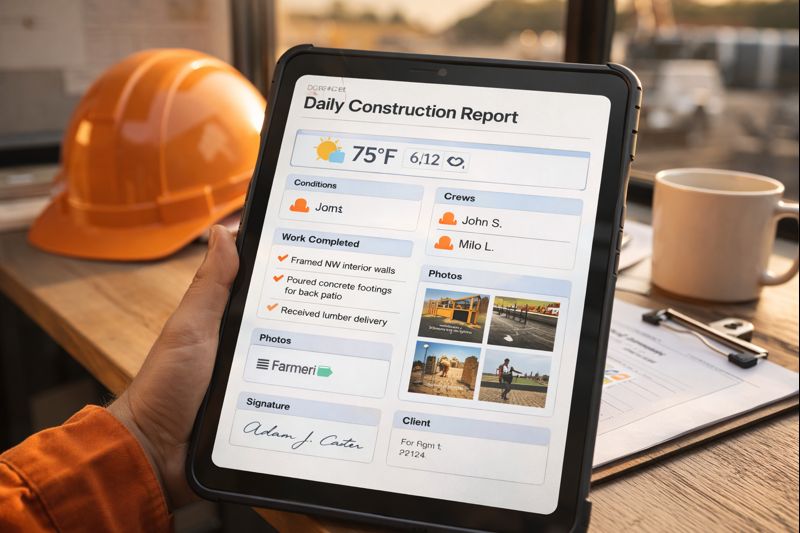
Essential Components of a Daily Construction Report
A well-structured construction daily report template serves as your project’s memory and best defense when disputes arise.
Project Basics and Weather Documentation
Start with job name, project number, date, and report author. Weather conditions documentation—temperature, precipitation, wind—significantly impacts work progress and explains delays. When concrete work gets postponed due to freezing temperatures, that weather data becomes crucial evidence supporting schedule extension requests.
Labor and Workforce Details
Record crew counts by trade, subcontractors on site, and arrival/departure times. When a framing crew completes twice the square footage Tuesday versus Monday, those productivity observations identify what’s working or where bottlenecks exist.
Work Completed and Visual Documentation
Detail specific tasks accomplished, locations, and quantities installed. Instead of “worked on framing,” specify “completed framing for second-floor east wing, installed 47 wall studs.” Progress photos with timestamps provide visual proof strengthening your construction record keeping.
Equipment, Materials, and Safety
Track which machinery was on site, operational hours, and breakdowns. Document materials received, quantities, supplier information, and storage locations. Flag damaged or incorrect shipments immediately—your daily log construction entry creates a paper trail for warranty claims.
Document near-misses, injuries, toolbox talks, and safety violations. This demonstrates professionalism and reduces liability exposure.
Delays, Issues, and Visitors
Document weather stoppages, coordination problems, missing information, or unexpected site conditions with schedule impact explained. Log visitor names, purposes, inspection results, and directives given. These superintendent report entries often become critical references when questions arise about who approved what and when.
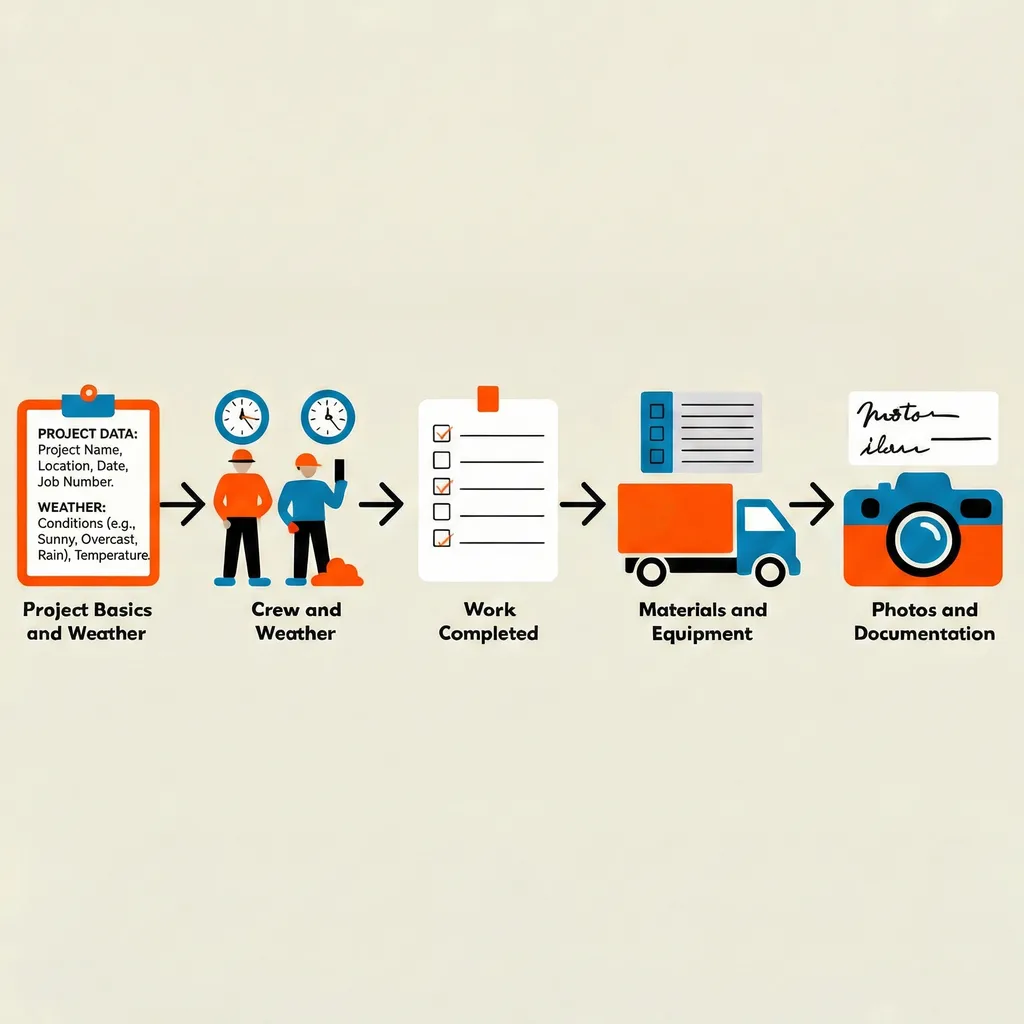
Setting Up Your Daily Construction Report System
Choose your documentation method based on what your crew will actually use consistently. Paper-based templates work great for smaller operations—just print and keep on clipboards. Mobile apps and construction management software offer searchability and automatic backups but require connectivity.
Start with a standardized template capturing essentials without overwhelming your team. Your field report construction form should include:
- Labor hours and crew counts
- Equipment usage and breakdowns
- Weather conditions documentation
- Work completed with specific details
- Delays or issues affecting schedule
- Safety incidents and corrective actions
Establish clear responsibility from day one. Will your foreman complete entries, or the project manager? Who reviews these site diary entries and when? Without defined ownership, reports become afterthoughts.
Avoid the biggest mistake: rolling out complicated software without field input. Talk to people who’ll actually use it, explaining how proper construction site documentation protects their reputation when questions arise months later.
Six Steps to Complete Your Daily Construction Report
1. Start Each Morning with Context
Record date, project details, weather conditions including temperature and precipitation, and your name. Snap a wide-angle photo showing overall site conditions. This two-minute routine establishes crucial context—if there’s a dispute about why work slowed, that photo showing six inches of snow speaks louder than explanations.
2. Track Workforce in Real-Time
Document as the day unfolds rather than remembering at quitting time. Note crew arrivals, count heads by trade or subcontractor, record departure times and foreman names. Set phone reminders at 7am, noon, and 3pm to capture arrivals, midday changes, and departures.
3. Document Work with Specifics
Instead of “worked on framing,” write “completed framing for units 101-104, second floor exterior walls, installed 47 sheets 5/8 OSB sheathing, north elevation.” Include exact locations, quantities, and progress percentages. Take progress photos with identifiable reference points. Vague descriptions mean nothing during disputes six months later.
4. Log Equipment, Materials, and Activities
Record equipment on site and operating hours, note deliveries with quantities and suppliers, and track materials pulled from inventory. Excavator breakdown? Document immediately. Material shortage delaying concrete? Write it down. Capture inspector visits, client walkthroughs, and subcontractor meetings with outcomes.
5. Record Delays and Safety Before Leaving
Document work stoppages with specific start/end times and causes—weather, missing information, or coordination issues. Note safety incidents, near-misses, or hazards identified with corrective actions taken. Ask: if someone questioned our progress tomorrow, does this daily construction report explain our day?
6. Submit and Store Consistently
Establish a same-day deadline—before leaving site or by 6pm. Route completed job site communication to your project manager for review and filing. Create backup copies in multiple locations like cloud storage, project files, and company server.

Avoiding Critical Documentation Mistakes
Don’t Wait Until Day’s End
After a grueling 10-hour day, memory fades and critical details blur. Adopt the ‘capture as you go’ method with quick voice memos or notes throughout the day, then compile into your formal field report construction document before leaving. Most construction management software allows real-time smartphone entries.
Use Specific Language
Vague entries like “worked on electrical” or “normal progress” provide zero value. Imagine defending a claim six months later with generic descriptions—you’ll have no proof. Always include specific locations, quantities, trade-specific details, and measurable progress in your work progress tracking.
Document Verbal Directives
When the architect tells you to shift that wall or the owner requests different fixtures, record it immediately in your site diary. Create a dedicated “conversations and directives” section in your construction daily report template and fill it every time someone changes the plan.
Maintain Photo Consistency
Establish a simple protocol: wide shot for context, medium shot for work area, close-up for critical details. Take progress photos when you document work completed, making it a unified habit.
Review Before Submitting
Thirty seconds of review catches errors undermining credibility later. If you discover mistakes after submission, add a supplemental amendment rather than modifying the original—document integrity matters for legal purposes.
Digital vs. Paper: Choosing Your Method
Paper-based templates work in muddy conditions, don’t need charging, and every superintendent knows how to use them. The downside? Try finding a specific entry from three months ago when a client questions timeline.
Construction management software like Procore, Buildertrend, PlanGrid, or eSUB keeps everything in one searchable place. These platforms automatically pull weather conditions documentation, let you attach progress photos directly to entries, and sync instantly with your office. You’ll spend 2-3 hours on setup but save 5-10 minutes on every daily log construction entry after that.
A hybrid approach works during transition periods. Keep paper templates as backup while crews learn the digital system. Let your most tech-savvy superintendent pilot software first, then have them train others.
Consider project size, team comfort with technology, budget constraints, and integration with existing systems. Whatever you choose, make it mobile-first—if your superintendent report requires a desktop computer in the trailer, it won’t get done consistently.
Getting Field Crews to Complete Daily Construction Reports
The real challenge isn’t creating the form—it’s changing behavior. Field teams see daily log construction as office busywork taking time from real work. Show them specific examples where reports mattered: documentation protecting the company during client disputes or detailed field notes proving crew productivity when questioned.
Build reporting into daily routine as non-negotiable clock-out procedure. No submitted report means no time approval. This creates the habit within two weeks. Balance with positive reinforcement by recognizing thorough construction site documentation in team meetings.
Reduce friction by keeping your field report construction process under 15 minutes. If it takes longer, your template is too complex. Streamline to essentials only, use dropdown menus and checkboxes, and enable voice-to-text for narratives.
Create accountability through review—have project managers look at reports within 24 hours and ask follow-up questions. When field staff see their superintendent reports influence decisions, completion quality improves dramatically.
Provide immediate value by using reports to generate weekly progress summaries or identify equipment needs before emergencies. When superintendents see job site communication flowing both directions, they become advocates.
Professional Tips for Maximum Value
Create project-specific templates pre-populating recurring information like regular subcontractor names, standard equipment lists, and common tasks. You’ll only enter what changed that day, cutting completion time nearly in half.
Apply the ‘future-you’ test every time you write a field report construction entry. Imagine sitting in a courtroom two years from now, trying to recall exactly what happened this Tuesday. Would your site diary give enough detail to confidently remember and defend the day’s events?
Weather conditions documentation deserves more than noting if it rained. Record wind speed for crane operations, humidity levels for concrete pours or painting, ground conditions affecting excavation, and temperature ranges impacting material installation.
For photos, use consistent naming like ProjectName_Date_Location_Description, and shoot in sequences telling complete stories. Start with wide establishing shots, move to medium views of work areas, then capture close-ups of specific details.
Leverage reports for job costing by tracking accurate labor hours against work completed. This transforms construction record keeping into real-time productivity analysis, showing exactly where projects make or lose money—turning documentation into competitive advantage.
Legal Protection Through Daily Construction Reports
Your daily construction report is a legal shield saving thousands when disputes arise. A commercial contractor facing litigation recently dodged a $180,000 claim for schedule delays by pulling detailed construction site documentation. Their daily log construction entries meticulously recorded weather stoppages, late deliveries, and design changes. These field reports defeated the claim and won a $95,000 counter-claim payment.
One contractor’s reports saved them $60,000 in water damage liability. When sued over damage allegedly caused during construction, their superintendent report with weather conditions documentation and progress photos proved framing was already enclosed before the storm that actually caused damage.
Construction defect claims don’t expire quickly—most states allow lawsuits 6-10 years after completion. Your construction record keeping must survive this long, which is why cloud-based construction management software has become essential.
Courts take this seriously: contemporaneous reports completed the same day carry far more legal weight than reconstructed records created after disputes arise. Digital signatures and timestamps prove who created each report, when, and that it hasn’t been altered—strengthening legal defensibility significantly.
If daily reporting takes 15 minutes per day at $50/hour cost ($3,250 annually) but prevents just one $25,000 dispute every three years, you’re seeing 257% return. Plus, surety companies and insurance carriers increasingly offer better rates to contractors with proven job site communication and documentation practices.
Start Your Documentation System Tomorrow
Creating effective project documentation doesn’t require hours of additional work—it requires systematic approach capturing the right information at the right time. By documenting labor hours, work progress tracking, equipment usage, safety incidents, and site conditions consistently, you’re building protective shield around your business while improving job site communication and accountability.
Start tomorrow by implementing the step-by-step process outlined here. Choose a construction daily report template or digital tool matching your team’s capabilities, train field staff on why this matters, and build reporting into daily close-out routine.
The first week feels awkward, the second week feels routine, and by the third week you’ll wonder how you managed projects without this level of construction site documentation.
The investment you make in documentation today pays dividends for years—both in disputes you’ll win and problems you’ll prevent entirely.
Frequently Asked Questions
How long does it take to complete a daily construction report?
A properly structured report takes 10-15 minutes using standardized templates or construction management software. Larger projects with multiple trades may require 20-25 minutes. The ‘capture as you go’ method reduces end-of-day time to 5-10 minutes by recording information throughout the day via smartphone.
What is the difference between daily reports and progress reports?
Daily construction reports document what happened each specific day—labor, equipment, work completed, issues, and conditions. Progress reports are periodic summaries (weekly, monthly) synthesizing information from multiple daily reports to show overall project status, schedule adherence, and completion percentages.
How long should you keep construction daily reports?
Maintain documentation for minimum 7-10 years to cover statute of limitations for construction defect claims in most jurisdictions. Cloud-based systems ensure reports survive computer failures, office moves, and personnel changes. Many contractors keep reports indefinitely as they provide valuable historical data for estimating and productivity analysis.
Can I use a simple daily log or do I need construction management software?
You can absolutely use paper-based construction daily report templates or simple digital documents—content matters more than technology. Paper works well for smaller contractors, single-project management, or teams uncomfortable with technology. Construction management software becomes valuable for multiple simultaneous projects or larger teams—typically justified at 3+ active projects.
What is the most important thing to remember when writing daily construction reports?
Write with specific, measurable details rather than vague generalizations—‘installed 47 sheets OSB sheathing on north wall, units 101-104’ instead of ‘worked on framing.’ Complete reports the same day while memory is fresh—contemporaneous documentation carries far more legal weight than records created after disputes arise.
How can daily reports improve communication between field and office staff?
Reports create structured information flow preventing the communication vacuum where office staff don’t know what’s happening on site. Project managers identify problems early (material shortages, coordination issues, weather delays) and take corrective action before crises. Reports provide accurate data for client updates, schedule adjustments, and billing without constant phone calls.
What are the legal benefits of maintaining detailed daily construction reports?
Reports provide contemporaneous evidence courts recognize as more credible than after-the-fact reconstructions, often determining outcomes of delay claims, change order disputes, and defect allegations. Documented weather conditions, site access issues, and coordination problems create irrefutable proof when owners claim delays were contractor-caused.